> For the complete documentation index, see [llms.txt](https://hackdays-guide.mlh.com/llms.txt). Markdown versions of documentation pages are available by appending `.md` to page URLs; this page is available as [Markdown](https://hackdays-guide.mlh.com/run-your-event/closing-ceremony-and-winner-declaration.md).

# Closing Ceremony and Winner Declaration

Mark every MLH partner winner, verify the result, and publish the project gallery before closing.

*Last reviewed: August 2026.*

Complete the winner workflow before announcing results in the room. The current process has two distinct actions: **Mark Winner** records each result, then **Announce Winners** makes the submissions and winners public.

## Before Marking Winners

Confirm that:

* Every presenting project appears in **Manage Submissions**.
* Each proposed winner appears under the MLH partner challenge it is winning.
* Judges verified the partner-specific eligibility evidence.
* The proposed project name is correct.
* Any judging tie or conflict of interest has been resolved.

Keep **Announce Winners** set to **PRIVATE** while judging and checking results.

## Mark Each MLH Partner Winner

For each assigned partner challenge:

1. Open the event's public page while signed in as an organizer.
2. Select **Manage Submissions**.
3. Filter to the relevant partner challenge.
4. Find the selected project and choose **Mark Winner**.
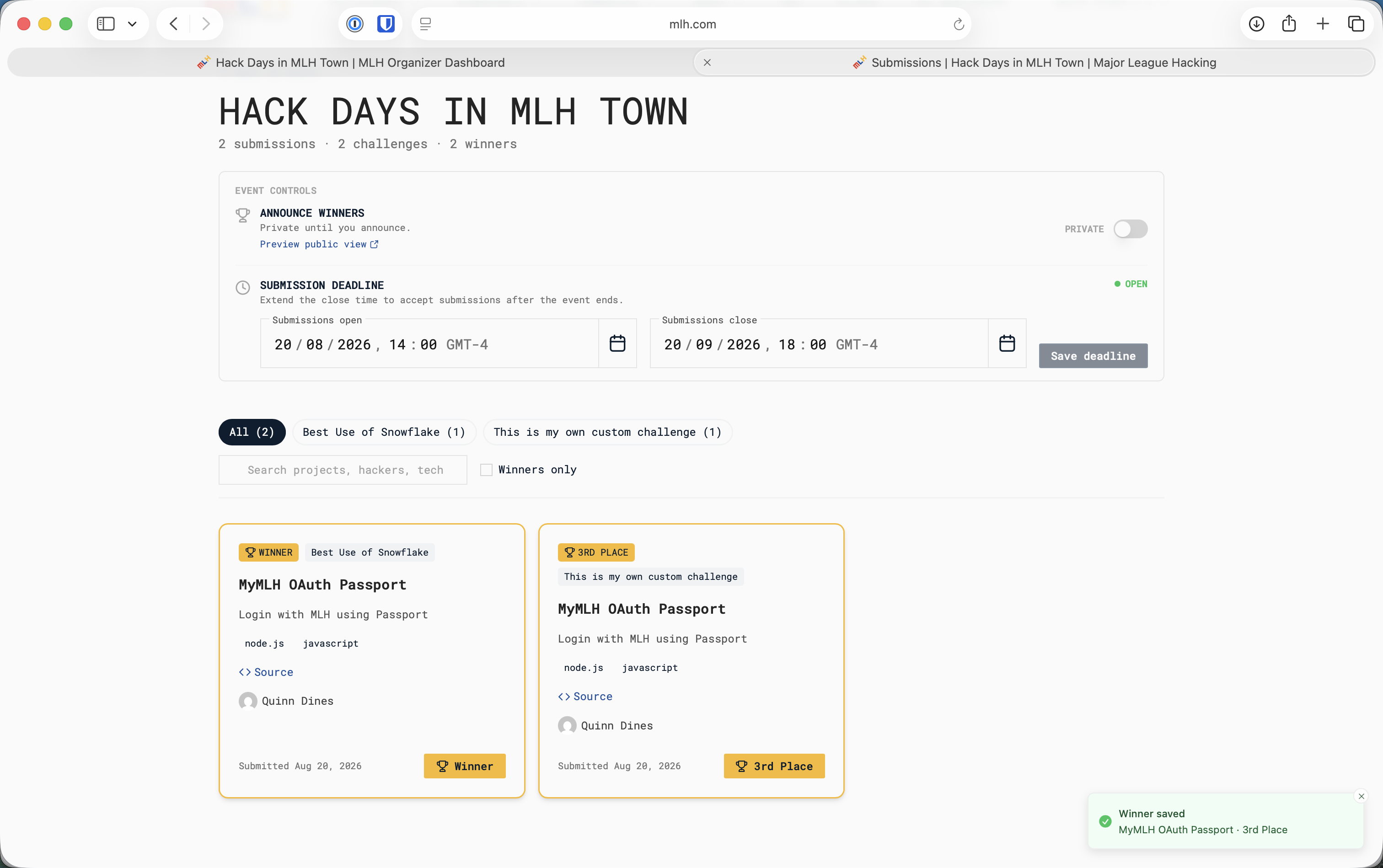
5. Select **Winner** from the menu.
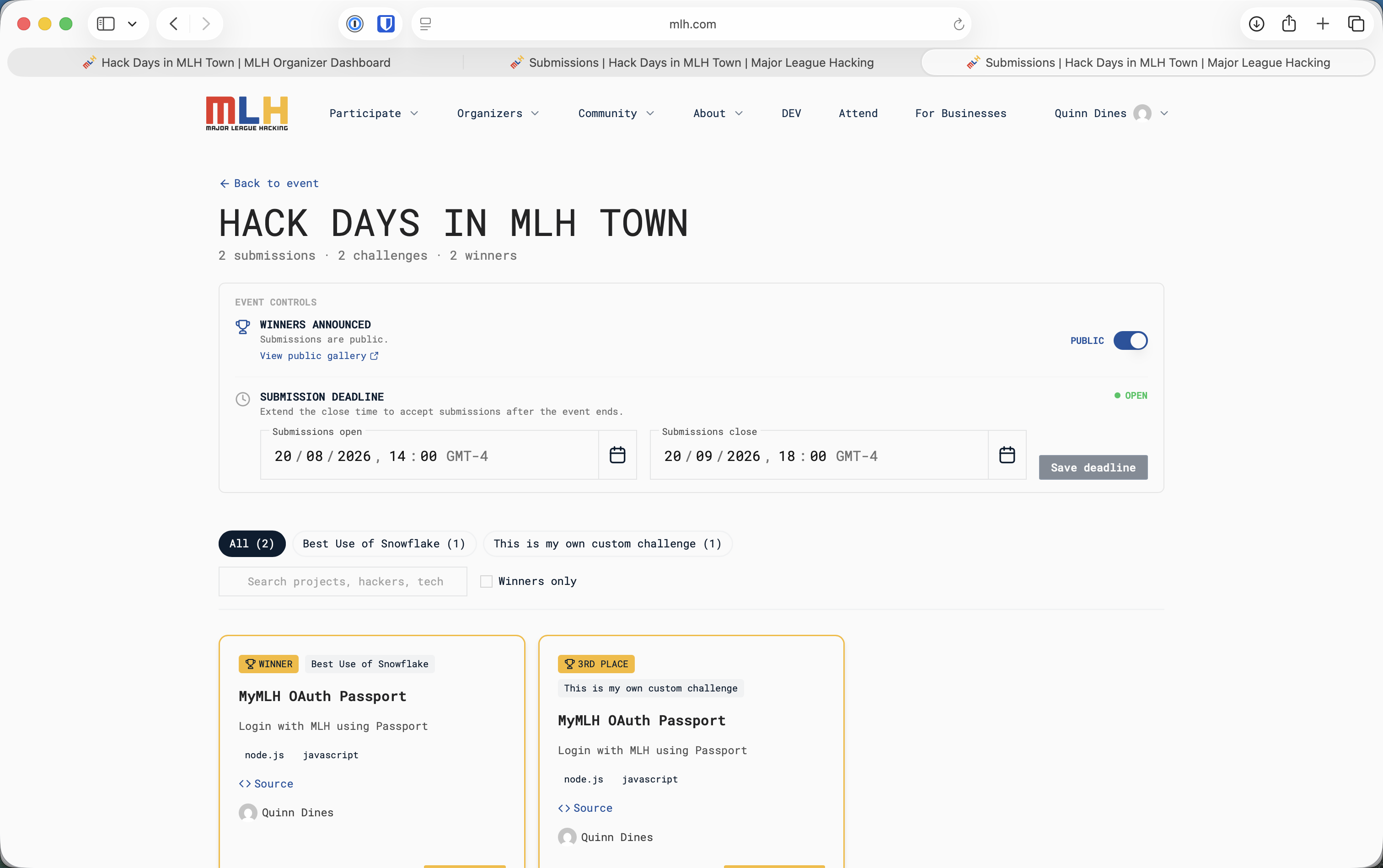
6. Confirm that the project card has a gold **WINNER** badge and that the page reports **Winner saved**.
7. Repeat for every assigned MLH partner challenge.

<figure><img src="https://3055709124-files.gitbook.io/~/files/v0/b/gitbook-x-prod.appspot.com/o/spaces%2FJmh9SgoamU1I7ykefuED%2Fuploads%2Fgit-blob-aaeb81abb58a0c71a4258da54b50ce8d07349e9b%2Fmark-winner-menu.png?alt=media" alt="Mark Winner menu with Winner, ranked places, and custom tag options"><figcaption><p>For an MLH partner challenge, select Winner from the Mark Winner menu.</p></figcaption></figure>

<figure><img src="https://3055709124-files.gitbook.io/~/files/v0/b/gitbook-x-prod.appspot.com/o/spaces%2FJmh9SgoamU1I7ykefuED%2Fuploads%2Fgit-blob-2309d66f2d3e4f3fd6649ce93f1f6700e24fcbe9%2Fwinner-saved.png?alt=media" alt="Manage Submissions page showing saved winner tags and a Winner saved confirmation"><figcaption><p>Verify the gold Winner badge and saved confirmation before moving on.</p></figcaption></figure>

{% hint style="info" %}
The **1st Place**, **2nd Place**, **3rd Place**, and custom tag options can support local categories. Use **Winner** for the winning project in each assigned MLH partner challenge.
{% endhint %}

If the wrong project is marked or a result does not show as saved, stop and correct the record before making the gallery public. Contact <hackdays@mlh.io> if the saved result cannot be corrected.

## Make the Project Gallery Public

After every partner winner is correct and you are ready to announce the results:

1. Use **Preview public view** to check how the gallery will appear.
2. In **Announce Winners**, switch the toggle from **PRIVATE** to **PUBLIC**.
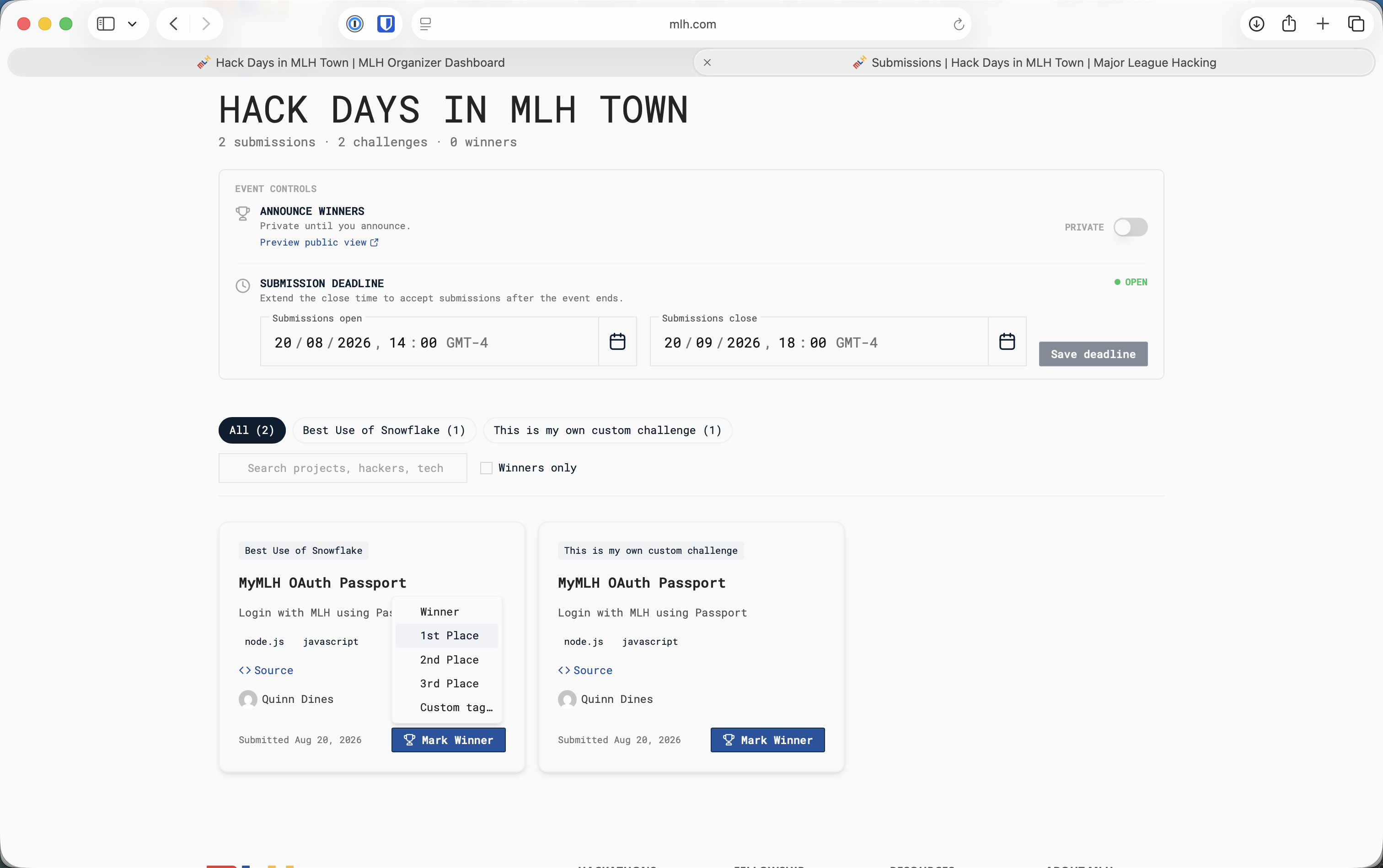
3. Confirm that the section now says **WINNERS ANNOUNCED** and **Submissions are public**.
4. Select **View public gallery** and check the published projects and winner labels.

<figure><img src="https://3055709124-files.gitbook.io/~/files/v0/b/gitbook-x-prod.appspot.com/o/spaces%2FJmh9SgoamU1I7ykefuED%2Fuploads%2Fgit-blob-8ce6f21f60fce5e1334961fe36552e074d54ca32%2Fwinners-announced-gallery-public.png?alt=media" alt="Manage Submissions page with Announce Winners set to Public and a View public gallery link"><figcaption><p>Switch Announce Winners to Public only after every result has been checked.</p></figcaption></figure>

{% hint style="warning" %}
Making winners public also publishes the event's project gallery, including non-winning submissions. Check the projects before switching the toggle.
{% endhint %}

## Announce the Results in the Room

Once the public gallery is correct:

1. Thank the hackers, volunteers, mentors, judges, venue staff, and partners.
2. Celebrate what participants built.
3. Announce each partner category and winning project exactly as recorded.
4. Describe the prize using the information confirmed for your event; do not promise an unconfirmed format or delivery date.
5. Take the closing and winner photos with the appropriate consent.
6. Explain any event-summary or follow-up steps.

## Before Organizers Leave

* [ ] Every presenting project appears in Manage Submissions.
* [ ] Every MLH partner challenge has the correct project marked **Winner**.
* [ ] The gallery is public and has been checked.
* [ ] Photos and receipts have been collected from the responsible organizers.
* [ ] The event lead knows who will complete the event summary.
* [ ] The venue has been restored and all borrowed equipment returned.

Continue to [Photos and Event Summary](/close-out-your-event/photography.md), [Receipts and Reimbursement](/close-out-your-event/reimbursements.md), and [Prizes and Event Materials](/close-out-your-event/swag.md).